Share/Bookmark
Showing posts with label happening. Show all posts

Tuesday, December 30, 2008

Poll Everywhere Obtain Freely up to 30 Answers during your Event Online from Your Audience

Home !
Overview of All Applications !


Why use Poll Everywhere?

Collect data while interacting with your audience

Poll Everywhere replaces expensive proprietary audience response hardware with standard web technology. It's the easiest way to gather live responses in any venue: conferences, presentations, classrooms, radio, tv, print — anywhere. It can help you to raise money by letting people pledge via text messaging. Its simplicity and flexibility are earning rave reviews.

How have people used it?

Creative uses to spark your thinking

Our customers have found many creative places to use Poll Everywhere:

audience choice awards, trade show sales lead generator, interactive signage, scientific opinion polling, battles-of-the-bands, very large group brainstorming, and txt-to-screen graffiti.

Customers have also found many creative uses: conduct quick comprehension checks in training, replace expensive classroom clickers, collect donation pledges, power silent auctions, let large audiences submit questions and feedback to a presenter, and even as an anonymous way to collect answers to sensitive questions.

How much does it cost?

Plans for the individual or the entire organization

Plans are based on the maximum number of responses any individual poll can accept. Poll Everywhere is free for people who need to collect 30 or less responses per poll, and Title I schools who have not made Adequate Yearly Progress.

The link is http://www.polleverywhere.com


Monday, December 29, 2008

Seating Chart Freeware to Organize your Events Appropriately

Home !
Overview of All Applications !

What is SimpleSeating?

SimpleSeating.com is the fastest and easiest way to make seating charts online. Experience the power of expensive desktop seating chart applications on the web without the learning curve. Create, preview, and print your seating charts in just a few simple steps.

With just a mouse and a web browser you’ll be organizing your guests via drag-n-drop controls within minutes. When you’re done print out your seating arrangement or share it online. Simple.

Plans starting at... FREE!

SimpleSeating is the perfect tool to organize seating arrangements for your events.

The link is simpleseating.


Saturday, September 6, 2008

Eventbride: a freeware for event or course management

Home !
Overview of All Applications !


Every company creates one or more events during the year. This could be an yearly employee evening, a happening for customers, a course or workshop, ...

The maintenance and management of events or courses is very time consuming. More and more people do have access to the internet. Why not use a system that you can set up freely in the manner of "set it and forget it".

You don't have to call people, write down their names on lists, .... There are only advantages if you completely automize the workflow. Let people subscribe whenever they want to and the only thing you have to do is to control from time to time how many people are intending to attend the event, course, happening, ....

Such a free and online web application is Eventbride.

FEATURES

Create an Event
Create your own personalized event registration web page.

Upload Logos & Customize Colors
Completely tailor your event registration page. Upload logos, choose from a palette of text & background colors and publish a privately branded event page!

Collect Attendee Information
Customize the attendee information you collect during the registration process. Collect information from each attendee or just the ticket buyer.

Ticket Order & Attendee Reports
Produce printable and customizable ticket order reports and attendee reports. Reports can be imported into Microsoft Excel and other applications.

Easily edit attendee info and refund all or partial ticket orders.

Multi-User Access
Allow multiple event organizers to access one master account.

Add and Edit Attendee List
Add "offline" registrants to your guest list. All attendees and sales figures are merged into one master list.


Copy or Repeat Events
Quickly make a copy of an existing event page. Change any details of the new page for fast event publishing.

Publish one event page for recurring events with the repeat event feature. Great for events held on a repeating basis (daily, weekly, monthly, etc)!

Show Attendee List on Event Page
Publish a list of confirmed attendees on the event page for everyone to see.

Show Tickets Remaining
Show an inventory of each ticket type on the event page.


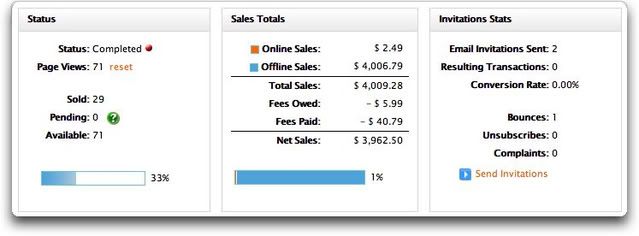
They're excited to announce a highly requested feature: the ability to schedule and send automated emails!

This feature makes it easy to send reminders and other emails to your attendees on a pre-determined date & time. Simply draft the email, set the date & time when it should be sent, specify the recipients of the email - we'll take care of the rest.
To access this feature, select "Email Attendees" from the left navigation menu on the "Manage Event" page.

i HIGHLY RECOMMEND THIS free and online web application Eventbride.